Category: Modernizing Your Contact Center Blog

  • Leveraging Interaction Analytics to Drive a Better Customer Experience

    Leveraging Interaction Analytics to Drive a Better Customer Experience

    Contact Centers are data rich, but until recently, they were information poor. Since customer conversations are unstructured data, it was difficult and time-intensive to gain insights. Interaction analytics enables organizations to convert the unstructured conversations into structured data that quickly provides actionable insights. IA can improve contact center operations by improving efficiency, increasing compliance and enhancing quality monitoring & coaching. In addition, Interaction analytics can drive more sales by increasing the conversion rate. Most importantly, leveraging interaction analytics can drive a better customer experience. According to McKinsey & Company, analytics can reduce AHT by 40%, increase containment rates by 5-20% as well as increasing conversion rates by 50% while also improving CSAT and employee experience.

    Leveraging Interaction Analytics for Improved Efficiency

    1. Reduced Contact Volume – By leveraging interaction analytics, you can identify your most common inquiries. Upon analyzing those inquiries, you can identify additional opportunities for self-service & common reasons for customer friction. By sharing these insights with other key stakeholders in your organizations, you can start removing customer friction which will ultimately lead to lower contacts into your contact center. In addition, you can identify contact drivers that could be automated through bots, FAQs or IVR.  Ensure that you are looking holistically at your self-service strategy and providing self-service opportunities including FAQs and automation where applicable.
    2. Reduced Average Handle Time – By being able to categorize key contact drivers and drill into common themes as well as identifying the areas with the highest handle time, you can quickly identify gaps in your agent training, agent knowledgebase or processes that need to be automated or refined.
    3. Improve Quality Management through QMA – Coaching and quality management can be more effective and efficient when integrated with interaction analytics. This enables you to automatically review 100% of your contacts for key words and phrases that are mandatory. In addition, it can enable you to quickly identify key issues and opportunities that need to be improved.

    Leveraging Interaction Analytics for Increased Sales

    By applying interaction analytics to your sales contacts, you can identify trends with closing rates. Are there some sales reps that are more effective than others? By identifying key traits and qualities of their interactions have compared to less successful sales agents, you can create a sales enablement program that increases overall conversion rate. In addition, interaction analytics and AI can also be leveraged for more effective upsells, identifying the customer profiles and product types that would most effectively result in a sale.

    Adherence and Compliance

    Contact centers have to adhere to many guidelines including TCPA, PCI, GDPR to name a few. Adherence to these guidelines is critical to avoid high fines and maintain customer satisfaction. The company needs to act quickly if a customer asks to be placed on your do not call list or their personal data to be removed. Analytics can quickly identify those contacts to ensure compliance.

    Improved Customer Experience

    When I worked in the contact center, I would often be asked details about the contacts. What are the reasons for calls? What are customers saying? It was difficult to gain the insights necessary to effectively answer that question without a great level of effort. Dispositions would provide a high level reason for contacts, but didn’t provide the details needed to effectively answer that question. A product defect would drive additional customer inquiries, but I wasn’t able to quickly get to the details. It was difficult to isolate those contacts and provide insights. 

    Interaction Analytics can enable you to gain quick insights and be able to answer these types of questions more accurately without as much effort and with much more data. You will be able to proactively identify areas that cause friction and identify root causes more quickly.

    Interaction analytics enables your organization to become a customer centric organization. You can analyze customer sentiment to identify areas that cause customer frustration as well as areas that delight the customer. By quickly being able to identify and reduce/eliminate friction, will increase customer satisfaction. Leveraging key insights along with customer sentiment will enable you to be able to prioritize improvements in the customer experience.
  • Surveying Your Customers – What to Measure & Best Practices

    Surveying Your Customers – What to Measure & Best Practices

    When surveying your customers, you first need to determine what you will measure. You will then will need to outline your survey process – when to survey, how often, and how to respond to the survey results.

    What to Measure: The Big 3

    The Big Three – I’m not referring to Kevin, Kate and Randall on This is Us. I am talking about the big 3 in customer surveying – Customer Satisfaction, Net Promoter Score, and Customer Effort Score. One of the first questions I get asked when talking customer surveys is which one of these should we focus on. The question should be less about what to measure, but rather what to do with the information.  

    Customer Satisfaction Survey

    When measuring customer satisfaction, you start by asking, “How satisfied were you with _________________.” These questions are typically answered on a scale of 1-5 or 1-7. The questions can range from satisfaction with the service, product, or various experience. This will provide customer sentiment about a particular experience. However, it lacks the ability to measure long-term customer sentiment or be able to predict customer loyalty.

    Net Promoter Score

    Net Promoter Score (NPS) was introduced in 2001 by Bain & Company and was a single, standardized question, “On a scale of 0 (not at all likely) and 10 (extremely likely), how likely are you to recommend [company] to a friend?” Detractors are classified by people answering 0-6. Passives are people answering 7-8. Promoters are people answering 9-10. You can calculate the NPS score using the following formula:

    (Promoters – Detractors)/Respondents X 100

    You can easily compare companies NPS score due to it having a standardized question and scoring. The purpose behind this question is to measure customer loyalty – if you are likely to recommend a company to a friend, you are likely to come back as a customer. While this is a widely accepted approach to measuring voice of the customer, I struggle with the question for 2 reasons. First, I don’t typically sit around with my friends talking about or recommending companies. If I take this question literally, I would rarely recommend any company to a friend. Secondly, I don’t feel this question is focused on the customer, but rather the company – asking if you would promote the company to a friend.

    Customer Effort Score

    Customer Effort Score (CES) was introduced in 2010 by Corporate Executive Board (now Gartner). Again, this is a standard question, “How easy was it to do business with [company] today? The customer responds with a scale of very difficult to very easy or 1-5 or 1-7. The CEB had found that customer effort was a better predictor of customer loyalty. Making it easier to do business with your company will result in more loyal customers. Of the 3 different metrics, this is my favorite. I like that this is a more customer centric question, we show we value the customer’s time and want to make it easy for them to do business with us.

    Keep in mind, you don’t have to measure only one of these metrics. You can vary your surveys so that you measure all 3 of these if you desire.

    Now that we know what to measure, how do we get started?

    Determine what other questions you will ask in your survey – Keep your survey short. The shorter the survey, the higher the response rate. The best questions are the open-ended questions. For example, if you are measuring customer effort score, a great follow up question would be, “What could we do to make it easier to do business with us?”  This is going to give you the ‘nuggets’ of information that are causing customer friction and where you need to focus your efforts when improving customer experience.

    Determine processes for unsatisfied customers – Have you ever filled out a survey as a dissatisfied customer explaining why the company disappointed you and you don’t hear anything back? It feels like you are giving feedback to the abyss. Part of a good voice of customer program is ensuring you have a process for reaching out to dissatisfied customers. This is an opportunity to show the customer that you are listening and you are correcting the issues they reported.

    Determine frequency & when to survey – Determine how often you will survey your customers and when. Are you surveying after every interaction or after a purchase? How often are you surveying customers? You may want to look at frequency as well – ensuring that you aren’t over-surveying customers.  When I led voice of customer programs, we would put a ceiling on the number of times we surveyed customers in a month to try and avoid survey fatigue.

    Determine the channels for the survey – determine if you want to leverage email, phone, mail or SMS to survey. You could leverage multiple channels and determine if there are better response rates than others.  If you capture the preferred channel for your customers, then leverage the channel the customer prefers to be contacted on.  Experiment with survey channels to determine which channel enables the best response rate.

    Share results with other divisions of the company – Ensure that you are sharing the results of the surveys with other divisions of the company – marketing, sales, product development, etc. These insights will enable the company to remove friction and improve the customer experience.  You can also take this one step further – create a customer advocacy board where you meet with the various stakeholders and not only review the survey results but prioritize changes based on the voice of customer.  Meet on a regular basis, track the improvements and create marketing around this –  “We listened to your feedback and are making your experience better by….”

    Summary

    Surveys are one aspect of measuring customer sentiment and enabling you to identify areas of improvement for the customer experience. They are a critical mechanism in getting feedback and being a customer centric organization. For more information and a discussion on surveying, The Heart of CX podcast had a great episode on this topic. However, they are not the only tool to measure customer sentiment. Next week, I will be discussing interaction analytics, another tool that is critical to measuring customer sentiment and identifying friction in the customer experience.

  • 5 Benefits of an Omnichannel Contact Center – Key to Providing Amazing Customer Service

    5 Benefits of an Omnichannel Contact Center – Key to Providing Amazing Customer Service

    For the last several weeks, we have been discussing various contact center channels. This includes the IVR, email, social media, chat, chatbots and messaging. Today, we will discuss the benefits of having an Omnichannel Contact Center and its role in providing an amazing customer experience.

    Multichannel vs. omnichannel contact center

    Multichannel vs. Omnichannel Contact Center

    While both multichannel and omnichannel support handling more than just voice, there are key differentiators.

    Multichannel Contact Center:

    A multichannel contact center supports multiple channels or touchpoints. This enables the customer to interact with the company on the channel of their choice. However, channels are typically siloed resulting in a fragmented customer experience. If the customer changes channels during their engagement, the contact center applications report these as separate interactions.

    Omnichannel Contact Center:

    An Omnichannel contact center supports multiple channels on a single platform in a connected experience. This enables the agents to see the context associated the customer’s previous interactions (regardless of channel). In addition, it allows the customer & agent to move between channels during an interaction seamlessly – maintaining better reporting, analytics and customer experience.

    Omnichannel contact centers lead to happier, more efficient agents

    Benefits of an Omnichannel Contact Center

    Connected Customer Experience

    According to CX Today, the number of channels that a customer uses has increased significantly. 15 years ago, they used 2 channels on average; today they use on average of 6 touchpoints. 72% of customers expect companies to know their purchase history regardless of channel they engage on. Customers want to be able to interact on the channel of their choice and not have to repeat themselves when changing channels.

    Higher Customer Satisfaction Resulting in Higher Revenue

    There is a direct correlation between customer experience and revenue. According to McKinsey, digital transformation and a focus on customer experience can generate an increase in customer satisfaction by 20-30% and increase revenue by 20-50%. Having a strong Omnichannel strategy that supports your company’s digital transformation is critical. In addition, it is critical to focus on customer experience in the contact center. In fact, according to CIO.com, “The modern contact center is becoming the customer experience center.” It is critical to provide not just automation but human engagement to enhance the customer experience.

    Increased Agent Efficiency

    With an omnichannel contact center, you can create robust routing rules. This enables an agent to work multiple contacts at the same time. In addition, with a single set of routing rules, you can effectively prioritize real-time contacts. By eliminating point solutions and having a single pane of glass for all contacts, you will also enhance agent experience. By providing the right tools and making it easy, leads to more efficient & happier agents.

    Increased Operational Efficiency

    By managing all your contacts with one routing engine, and having multi-skilled agents, you will be able to not only will agents be more efficient (lower average handle time), but they will be higher utilized. You will be able to effectively forecast and staff across all your channels. This will result in additional operational efficiencies for your contact center.

    Better Reporting & Analytics

    Having all your interactions in one platform will provide consistent reporting. In addition, you can apply interaction analytics to all your contacts. This will enable you to identify This will provide better insights on why your customers engage with you and be able to identify areas of friction that need to be addressed in the customer experience.

    Omnichannel contact centers lead to happier customers

    The Whole is Greater Than the Sum of the Parts

    Aristotle said, “The whole is greater than the sum of the parts.” Omnichannel is the whole whereas multichannel is the sum of the parts. Having an omnichannel contact center provides so many benefits for the agent, company and the customer. It drives out friction in your customer experience as well as enhances the experience for the agents and customers. It is key to providing amazing customer service.

  • The Benefits of Asynchronous Messaging

    The Benefits of Asynchronous Messaging

    For the last couple of weeks, we have been discussing chat and chatbots in the Modernizing Your Contact Center Blog. Chat is a beneficial channel in the contact center, but can also present some challenges.  This week, we are going to pivot from synchronous communication (Chat, phone calls) to discuss the benefits of asynchronous messaging for customer service. According to Forrester, only 19% of companies surveyed engaged with customers using asynchronous messaging. However, 69% of adults leverage messaging daily to communicate. 

    Synchronous vs. Asynchronous Communication

    Synchronous communication is real-time communication – such as a phone call or webchat. Both the customer and company are actively engaged in the conversation. Once either party disconnects, then the conversation ends. The next time the customer wants to start a conversation, it starts a new thread.

    Asynchronous communication is when a customer or company starts a conversation and can walk away and pick it up at anytime. The conversation history and context is still there. Examples of asynchronous communication include WhatsApp, Facebook Messenger and Apple Business Chat.

    Benefits of Asynchronous Messaging in Customer Service

    There are many benefits of leveraging asynchronous communications as supported channels in your customer service organization.  These include:

    1. Higher Customer Satisfaction: When leveraging asynchronous messaging, CSAT scores were 18% higher than when leveraging chat ([24]7.ai).
    2. More Efficient: Messaging agents typically can handle 2-3 times more contacts than a phone agent and cost 30-50% less per contact (TTEC).
    3. Staffing Savings: By blending chat and messaging, companies have reduced staffing requirements by an average of 20% ([24]7.ai)
    4. Lower Customer Expectations: 70% of customers expect a response to a chat within minutes and 68% expect a response within minutes to a phone call. This makes sense since both of these channels are synchronous and the customer is tied up waiting for a reply. However, these expectations are much lower for asynchronous channels. Only 45% of customers that message, 22% that engage via social and 16% that engage via email expect a response in minutes (Khoros).
    5. Conversation History: Asynchronous messaging provides threaded conversation history that enables the customer service agent to get context about the history of the interactions.  This enables them to provide a more personalized experience.
    6. Cross-Device Access: Customers can easily switch devices while communicating on the messaging platform.  This  enables them to switch between their computer and mobile devices adding convenience.
    7. Meet Customer Expectations: Customers prefer messaging over phone calls or emails.  More than 60% of respondents to a recent survey preferred messaging with Millennials and Gen Xers preference being 65% (RingCentral).

    Best practices for Introducing Messaging in Your Contact Center

     
    1. No Silos: You do not want a stand-alone solution to support messaging in your contact center.  You will want an omnichannel or digital contact center solution (depending on how you support your digital channels).  This will enable you to support routing of all your digital channels.  This will also enable your agents to support multiple channels.  You will need to determine routing rules based on the other channels you support and customer expectations.  For instance, you may want to prioritize webchat over messaging contacts since the customer expectations are higher for web chat.
    2. Integrate with the Customer CRM:  You will want to integrate with your customer CRM so that you can have context associated with the customer record. 
    3. Leverage Interaction Analytics to identify customer friction points:  By leveraging interaction analytics, you will be able to identify customer friction points that need to be eliminated as well as customer sentiment.  You can go a step further by associating sentiment to channel.  
    4. Determine metrics:  With asynchronous communication, you may need to re-evaluate the operational metrics that you are reporting in your customer service organization.  Metrics to consider include response time, CSAT and resolution scores, number of “turns” between agent and customer and re-contact rate.
    5. Look at your digital channels holistically: What channels do your customers have a preference to use?  How will you operationalize digital channels as a whole?  By looking at this holistically, you will provide a better customer experience.

    Summary 

    Asynchronous messaging provides a better customer experience – providing additional channels that the customer can engage with brand.  In addition, there are a number of benefits to the company including operational efficiencies and higher customer satisfaction.  Careful planning ahead of time including picking the right technology that can effectively route all your contact center contacts as well as provide a better customer and agent experience will enable you to provide the best customer experience and successfully support messaging in your contact center.

  • Introduction to Chatbots: Trends & Best Practices

    Introduction to Chatbots: Trends & Best Practices

    What are Chatbots?

    Chatbots are “computer programs simulating human conversation typically over the internet”. This can apply to both voice and text.  The first chatbot, ELIZA, was introduced in 1966 by Joseph Weizenbaum which was capable of natural language processing.  The second chatbot, PARRY was introduced in 1972.  These first 2 chatbots had a conversation that at best was odd – check it out in the linked article.  

    Types of Chatbots:

    Transactional (or set guidelines) chatbot – This is similar to functionality of a directed dialog IVR where there are predefined options.  We see this oftentimes in retail customer service for inquiries about our recent orders or banking when we want to perform a predictable action such as check a balance or transfer money. 

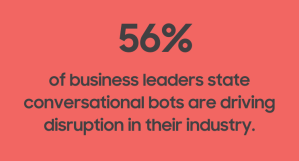
    Conversational (or machine learning) chatbot – This type of chatbot leverages natural language processing and is conversational.  It needs to be contextually aware.  It can self-learn new dialogues and words.  Examples include ordering a pizza or booking a flight.  According to Accenture, 56% of business leaders surveyed stated that conversational bots were driving disruption in their industry.  

    56% leaders state conversational bots are disruptive


    How are Chatbots Used?

    Chatbots are leveraged for multiple reasons including sales (41%), support (37%), and marketing (17%) – Intercom.  Customer adoption of chatbots has increased dramatically over the last year.  In 2019, 17.1% of customers were willing to use chatbots for purchases.  This rose to 41.3% in 2020 (Salesforce).  Since TD Ameritrade introduced text and voice chatbots in 2017, they haven’t had to hire any new human agents even with additional clients (WSJ). Chatbots can be used internally within your organization providing IT support as well as HR support.  IBM is leveraging Watson AI to handle about 40% of the inquiries from their 350K employees – resulting in not having to backfill HR representatives (WSJ). According to Gartner, by 2022, 70% of office workers will interact with conversational platforms daily.

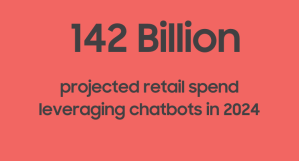
    The chatbot market size is projected to jump from $2.6 billion in 2019 to $9.4 billion by 2024 with a CAGR of 29.7% (Drift).  As a result, retail spend via chatbot will increase from $2.8 billion in 2019 to $142 billion in 2024 (Business Insider).  It’s estimated that 73% of healthcare administrative tasks could be automated by AI including chatbots.   142 Billion retail spend leveraging chatbots in 2024 


    How to Get Started

    1. Identify where you are going to use chatbots:  Determine where you are going to leverage chatbots for your initial launch.  Will it be sales, service or marketing or for internal processes?  I recommend launching them for internal support such as IT support or HR first as you are learning the technology and how to apply to your environment.  This will enable a very controlled rollout and lower risk.  
    2. Determine the type of chatbot you will be leveraging:  Will you want to introduce the transactional (set guideline) chatbot or conversational chatbot or try them both?  Both have benefits and can enhance your business.
    3. Identify Reasons for contact that you will be automating:  Identify the top reasons for contact.  For each reason of contact, determine how easily the contact can be automated (if at all).  Once you have mapped the level of effort of automation and the reasons for contact, determine which use cases you can automate first with chatbots and then expand to additional use cases.
    4. Determine your KPIs: Determine what you want to measure with your chatbot implementation.  Depending on your chatbot implementation, you may want to reduce the amount of transfers, increase knowledgebase consumption to deflect contacts or complete transactions and increase sales.  Create reporting to be able to measure your KPIs that you define.
    5. Build your chatbots and tune:  The majority of companies look to external vendors when implementing conversational chatbots.  Identify your partner for implementation and how you will measure success.  Once you rollout, listen to the voice of the customer and tune as needed.
  • Web Chat Best Practices

    Web Chat Best Practices

    According to Forrester Consulting, web chat has many benefits including a 305% ROI in 6 months when used as a sales channel, 120% ROI in 6 months when used as a service channel and 59% call deflection. According to the Benchmark Portal, a webchat contact costs 1/3 the cost of a phone contact. Forrester also predicts that digital customer service interactions will increase by 40% in 2021. The good news? According to Zoho, 2/3 of companies already use live chat for customer support.

    However, customer’s expectations are higher than ever and the majority of companies are not meeting those expectations. Salesforce reports that 71% of customers have used multiple channels to start and complete a single transactions and they expect connected experiences. Whether you are deploying web chat for the first time or even if you already have web chat implemented, now would be a good time to review your chat experience and ensure that you are following best practices and tune where needed.

    1. Determine Your Call to Action Method – Static vs. Proactive: There are 2 types of chat touts – static and proactive.
      • Static – This is sometimes referred to as reactive chat. The chat icon is “always” available on the page and remains there whenever you are on the page. Best practices include having static chat touts (or call to actions) in the same place on each page so your customers can easily find it. Typically these touts are on the right-hand side of the page. Static chat enables a customer to reach out to your organization anytime they have a question. The key to the best customer experience is ensure the chat tout is consistently displayed and highly visible to the customer – don’t require them to try and find the “contact us” page in order to chat with you.
      • Proactive – This is more of a customized experience where the chat icon pops up based on various rules on the website. Various rules can be configured – for example, if a person is idle on a webpage for a configured amount of time or if they abandon their shopping cart, the chat call to action can pop up. This can be a riskier customer experience – if not configured correctly, it can be annoying. If done correctly, it can drive more sales and revenue. If you have proactive deployed, you should look at customer sentiment often to ensure that the chat experience is meeting customer’s needs.
    2. Personalize the Chat Experience – 84% of customers say being treated like a person rather than a number is very important to earning their business (Salesforce). If the customer has authenticated on your website, pass that information to the chat platform if they decide to chat with you. You should not ask for their name or identifying information that you could leverage from your CRM. Additionally, you should also pass the CRM record to the agent when presenting them with the chat. If the customer is not authenticated, if you have a pre-chat form and ask identifying information, send that info to the CRM to personalize the experience.
    3. Provide Expected Wait Time – Expected wait time should be provided to set expectations on how long the caller should expect to wait for an agent. Offer self-service as an alternative but do not force self-service. If you are unable to provide expected wait time, then provide position in queue (which is less helpful as there are many variables that could play into their wait time including average handle time and number of agents that are handling chat).
    4. Pre-Chat Form – If you have several departments handling chat, the ideal routing rules would be using attributes from the page the chat is originating from & customer to route the chat effectively. If that is not possible, use a pre-chat form to ask what they are inquiring about which may include a drop down of topics. Remember to not use company jargon in the drop-down but rather how customers would describe what they would be inquiring about.
    5.  Offer Chat Transcripts – Always offer chat transcripts to the customer so that they have a record of their interaction. Some user interfaces allow the customer to request the chat transcript via email so that the agent doesn’t have to remember to ask. 
    6. Determine After-Hours Treatment – There are a number of different ways to handle after-hours treatment for chat. Customers expectations are to have 24×7 service – some contact centers outsource outside their hours. Some other alternatives include:
      • Leveraging a Chatbot – Leverage a chatbot to handle simple inquiries and if a customer requests to speak with an agent, then advise them of the hours of operation.
      • Remove Chat Tout After-hours – Program the webpage to hide the chat tout call to action when outside of the contact center hours.
      • Display an After-hours Message – If a customer elects to chat afterhours, you could display an after-hours pop-up that provides the hours of operation. This can add friction to the customer interaction due to providing the expectation that they will be chatting based on the availability of the chat tout on the webpage.
      • Provide a “Contact Us” Email Form – Indicate it is after hours and provide a contact us form in which you can respond back to the customer via email. Ensure that your responses for these messages are prioritized as the customer expectations are different for chat vs. email (which customers expect a response in 24 hours).
    7. Agent Training and Chat Procedures –
      • Ensure that your training highlights the differences in email responses and chat responses. Email is much more formal whereas chat is considered more casual and shorter answers are acceptable and most times desired. Oftentimes, responses for emails start as “Thank you for contacting [company] about your issue [restate issue]. We are very sorry about the inconvenience this caused…” For chat, the customer service agent can start addressing the issue/question (of course with empathy) instead of restating the issue.
      • Determine what your company’s personality should be in chat – Can agents use emojis? Is shorthand/acronyms acceptable?
      • Determine how you handle customers that are no longer responsive during chat. How long should an agent wait prior to disconnecting a customer? What messaging should be sent prior to disconnect?
      • Provide quick responses for commonly asked questions, but also encourage free form when it provides a better customer experience
    8. Escalating to Other Channels – If a customer requests to change channels or if the chat needs to escalate into another channel, ensure that the history of the conversation goes with the customer so that they don’t have to repeat themselves.
    9. Concurrent Chats – There is a lot of debate on how many concurrent chats that an agent can handle. Some software programs support 10 or more concurrent chats per agent. It depends on the complexity of the inquiry – I have seen the concurrency typically set between 2-4 concurrent chats. Take a look at how much time the customer is waiting on the agent to respond. If this has been trending higher, then reduce the number of concurrent chats. You can also take a look at customer satisfaction scores to see if the number of concurrent chats is impacting CSAT.
    10. Technology to Support Webchat: There are a number of things to look at when looking at technology that supports web chat. They include:
      • Omnichannel Platform – Having an omnichannel platform will enable customers to easily move between the channels of their choice and having the conversation all on one platform will provide a better customer experience. Threading the entire conversation will enable you to have a holistic view of the customer’s experience rather than have the interactions siloed.
      • Chatbots – Chatbots enable you to provide some pre-queue routing as well as self-service. Think of chatbots as the IVR for chat. I will discuss more about chatbots in a future blog.
      • Co-Browsing – Enabling co-browsing along with chat provides a powerful support tool in which you can show customers how to navigate your company’s webpage as well as quickly see where there may be issues or confusion. This can reduce overall handle time as well as increase customer satisfaction.
      • Analytics – Leveraging analytics – especially with sentiment – you will be able to identify areas that your customers are getting frustrated with chat and address those issues to enhance the customer experience

    Chat is a convenient & powerful communication channel with many options available for configuration and support. Ensuring you have the right configuration, technology and processes in place to support your customer’s needs will ensure you are providing the best customer and agent experience.

  • Social Customer Care Best Practices

    Social Customer Care Best Practices

    How do you incorporate social media in your business? At first, many companies leveraged social media as another marketing tool. However, as customer behaviors and expectations change, leveraging social for marketing is not enough. Customers expect to communicate with companies in the same channels they would communicate with family and friends. That includes social media channels.

    Why is Social Customer Care Important?

    • 1 billion messages are exchanged between businesses and consumers each month on Facebook Messenger. 70% of people expect to message businesses more in the future via social. (Hootsuite)
    • 84% of consumers who posted complaints on social media used Facebook & 26% used Twitter. Social Media is the preferred communication channel for consumers under 25. (Consumer Reports)
    • US Companies are losing $75 billion a year due to poor customer experience (Businesswire)
    • 71% of complaints on social media are through Facebook, 17% through twitter. (Convince&Convert)
    • 40% of customers expect a response to their social message in the first hour and 79% expect it within 24 hours. (SproutSocial)
    • One-third of all customer complaints are not acknowledged or answered by companies – most on social media (Convince&Convert)
    • Customers will spend 20-40% more with a brand if they engage via social media channels (BigCommerce)

    Best Practices for Social Customer Care:

    Determine whether you will have a dedicated service account or you leverage the main brand page for social customer care

    Many customer care organizations use a different social media handle for their support channel so that they can prioritize those social media inquiries – such as @[Brand]Help or @[Brand]Service. They will advertise the customer service social media handle on their contact us and social pages. Nike took this approach. @NikeService on twitter is dedicated to service inquiries while the @Nike twitter account is their main brand page.

    However, when creating service pages, keep in mind that customers will contact you for service on the main page. Redirecting them to message the service account can add friction to the customer experience – it would be like a transfer in the phone or chat world. In addition, you can also add friction to the customer experience when not having as stringent response SLAs on your main brand page – in this example, the response from the brand was 6 days after the tweet was sent. The service account answers the inquiries in an hour.

    Define your agent profiles and training needs for your social customer care team

    Social media is a unique channel – while you are responding to the customer, there are many more people watching and privy to your answers. Typically social media customer care agents are higher skilled with more experience in the organization to be able to answer the posts accurately and also have professional writing skills. In addition, the agents also need to know when to escalate issues such as a viral post. Training programs for this group should include social customer care – familiarizing the agents with aspects of responding to customers in a social world.

    Define how you will identify and report & escalate “viral” type of posts

    Inevitably, there will be a time when your customer service reps handle or identify a viral post related to your brand. You need to have processes pre-defined on how to handle these posts – including how other stakeholders in your organization (such as corporate communications, media relations and marketing teams) are informed and stay up to date on the post. This could include flash reports that provide updates at a regular interval or quick incident meetings with the stakeholders to discuss and plan the response. Sometimes, silence may be the best response. Remember when Starbucks decided not to print Holiday cups?

    Define when to leverage DMs vs responding publicly

    Many brands will direct message (DM) the customer when they post on social media. This is so they can gather personal data and quickly resolve the issue. Define when you will use DMs vs. when you will post publicly. Keep in mind, since others are watching, update any public facing post with an update that the issue has been resolved via DM when you take the conversation private.

    Define when to leverage DMs vs responding publicly

    Customer expectations for responses in social media can range from within an hour to 24 hours. What will your SLAs and KPIs be for social customer care? KPIs to consider include: Response rate, average speed of answer, response rate, quality, first post resolution, social engagement (likes/shares/retweets/comments)

    Define your reporting requirements

    In addition to the operational reporting associated with the SLAs and KPIs, you may also want to define qualitative reporting as well. What are the themes of the social content and overall sentiment? You may also want to disposition the content so you can report contact drivers are for social media.

    Set up social media monitoring & routing rules

    Not all customers will @mention your social media handle or post on your Facebook page. Set up monitoring to be able to catch content about your brand and company on public facing pages by monitoring key words (such as your brand name). This will enable you to catch complaints and kudos and respond to it showing the customer that you are listening and care.

    Create quick responses

    Have quick replies pre-defined that the agents can quickly leverage for common inquiries. This will ensure consistency in messaging as well as operational efficiencies.

    Setup tuning & trending sessions with your marketing team

    Since social media is typically a shared responsibility between Marketing and customer service, it is very advantageous to have mutual social tuning and trending sessions. This allows both groups to understand the social plans including social marketing as well as what Customer Service is hearing that could influence those posts. This will enable marketing to incorporate learnings into future campaigns further enabling a customer centric organization.

    Summary

    Social channels continue to grow in adoption. Customers expect companies to respond to them regardless of channel. Companies need to ensure that they have a social customer care strategy in place and continue to tune and revisit to ensure that they are meeting customer’s expectations. There are many platforms available today that enable you to effectively listen and respond to social media channels, like RingCentral Engage Digital. Digital customer engagement platforms not only incorporates social media, but also other digital channels like chat, email, reviews and messaging. This results in faster response times, higher customer satisfaction, higher first contact resolution and increased productivity. This also lowers training times and allow common reporting across all channels.

  • Digital Transformation Is Critical to Your Success

    Digital Transformation Is Critical to Your Success

    Contact center leaders are often asked to do more with less. This results in asking the agents to do more with less as well as deferring investments in technology which negatively impact the customer experience. The siloed systems and processes are likely being stitched together by human capital, resulting in high handle times, inconsistent messaging and frustration by both the agent and the customer. The cost of legacy, siloed systems has a far greater cost to your organization than your contact center labor – it results in increased employee turnover, erodes your revenue and customer base due to increased customer effort resulting in decreased customer loyalty.

    COVID-19 accelerated digital transformation in the contact center. While we had to shelter in place for part of 2020, digital transformation moved forward at warp speed to meet consumers changing needs. As consumers, we shopped online more than ever before which is projected to remain at elevated levels. Forrester projects that digital customer service interactions will increase by 40% due to this trend. The Northridge Group states that customers preference for digital channels has increased to 38%. In fact, 63% of customers decided to try digital apps and tools due to COVID-19 and of those, 75% will continue to prefer to use those channels with self-service tools being most preferred. Digital transformation in your contact center is more critical than ever. In fact, Forrester predicts 20% of the Fortune 500 companies won’t survive 2021. Where do you start?

    Start with your customer journeys – they have likely changed over the course of the last year. Map out your common customer journeys identifying when they reach out to customer service and emotion when reaching out. Why do they reach out to customer service? How can you prevent the contact? How do you ensure that you can support your customer’s needs?

    These are some areas to look at when planning your digital transformation for you contact center.

    1. FAQs – FAQs are often the first place that customers go when looking for help. Are your FAQs online up to date with common questions relevant to customers’ inquiries that you are experiencing today? Capture reporting on your FAQ effectiveness and focus on tuning or re-writing the least effective FAQs. FAQs should be part of your self-service and deflection strategy. Having thorough FAQs that adequately answer your customers’ questions will result in fewer contacts into your customer service organization. In addition, you can use these FAQs as the basis for your bot self-service. According to Microsoft, 92% of customers expect companies to have FAQs or self-service online and 78% have found the information they are looking for. When they haven’t been able to solve their issue with self-service, 63% cite too little information being the reason why.
    2. Assess your customer service channels – What channels can your customers use to contact your company? Are they all easily accessible? What is the perceived level of effort for each of the channels? According to Microsoft, 57% of customers reported that their interaction with the company began online. As a result, to reduce customer effort, if you don’t have webchat deployed, you need to make that a priority. If you have a mobile application, you need to offer service in your mobile app as well. In addition, customers want to be able to interact with your brand much like they interact with their friends – they don’t pick up the phone unless it is absolutely necessary. Instead they want to message, text, communicate via social, etc. With each of these you will need to come up with a plan on how you will support the channels as part of your standard contact center operations. In return, you build stickiness and customer loyalty by providing service in the channel of their choice.
    3. Personalization & Self-Service – I see these 2 items closely related and encourage you to look at both together. Many times, self-service fails due to not being able to identify the customer and personalize the experience. Take a look at your data across all your systems including your data lake, master data, ERP, CRM, and e-commerce systems. Think about information you can use to identify a customer and what sort of questions that they may be asking. For example, if a customer is authenticated on your website and you offer webchat, don’t ask for their name and email address in your pre-chat form. Pass the authentication information (name & email) to your webchat platform and utilize the information in their customer profile and purchase history to offer that personalized experience. Anticipate why the customer is contacting you and offer assistance. Offer self-service across your channels – often times companies are hesitant to deploy or expand web chat due to not offering self-service on chat. It is imperative that your self-service strategy includes bots for your digital channels much like the IVR provides self-service for your phone channel.
    4. Proactive Notifications – Nuance states that 85% of customers would like to receive proactive notifications and 90% are more likely to do business with a company that sends proactive notifications. This lowers the customer’s level of effort – and also increases stickiness with the customer. When you think about proactive notifications, think beyond appointment and payment reminders. Also think about leveraging them when the unexpected happens – when a package scheduled to arrive is going to be late, when there are items of their order that can’t be fulfilled, or when a subscription is about to renew.
    5. Contact Center Integrations – Look at areas where you can eliminate human capital from stitching together siloed systems. It is no longer acceptable for a contact center platform to be used merely for routing calls. It needs to be “smarter” and help the customer and agent be more effective and efficient. Look at the processes you have today and determine how you can automate those processes. Agents and human capital should be used for the more complex inquiries where as bots, AI and automation should be used for the transactional and informational inquiries. Just as the contact center system should pull information from other systems, it can also be used to write information to systems as well. Customer Service interactions should be written to the CRM to be able to see the true customer 360 view. In addition, by automating and providing your customer service agents with tools that make it easier for them to do their job, you are enhancing the employee experience that will lead to happier employees, which leads to happier customers.
    6. Omnichannel Contact Center – With the proliferation of channels, customers often use multiple channels to get their inquiries answered. In order to be effective in routing and servicing customer’s inquiries, contact centers need an omnichannel contact center platform that routes and handles all customer inquiries. This will result in consistent routing, consistent reporting as well as efficiencies in a single pane of glass for agents to work in regardless of channel.
    7. Cloud Migration Strategy – Innovation is happening so quickly. To remain competitive, you have to keep up with innovation and ensure that your customer experience meets the customer expectations of today. The only way to continue to keep up and evolve is to migrate your contact center to the cloud. Trying to maintain legacy, on-premise platforms is cumbersome and expensive. Your competitive advantage includes moving to the cloud so that you can focus time and energy on innovating your customer experience rather than trying to keep up with upgrades and infrastructure refreshes. Having your contact center on the cloud enables you to be agile, to experiment with new customer engagement channels and self-service approaches, measure what is working and what needs to change and then iterate and innovate.

    Digital transformation is critical to a company’s success and the contact center should be part of your digital transformation strategy. Consumer’s preferences and behaviors have changed drastically in the last year and in response, digital transformation efforts have accelerated across all companies. According to McKinsey, digital transformation and a focus on customer experience can result in a 20-30% increase in customer satisfaction and economic gains of 20-50%.

  • Long-Term Impacts of COVID-19 on the Contact Center

    Long-Term Impacts of COVID-19 on the Contact Center

    It’s been a year – a year since we went home believing it was 15 days to flatten the curve. We believed we would soon be back in the office and everything would be “business as usual”. While we aren’t sure yet when/if we return to the office and what the new normal will look like, there are a number of trends that will have a long-term impact on the contact center. Today, we will review some of those trends.

    Work From Home will continue: Before the pandemic, it was estimated that less than 5% of US employees worked from home. Work from home had not been fully adopted by businesses for a number of reasons including concerns over productivity and employee engagement. According to Harvard Business Review, full-time remote workers are 5% more likely to be high performers compared to their peers that work in the office. The last year has taught us that the concerns about work from home – whether it is internet quality, dedicated workspace, productivity, employee engagement – have been mitigated and that work from home not only works, but some people thrive in it. Over the course of the next year, as more people are vaccinated, I anticipate that offices will open and travel will resume. However, I don’t expect that we will go back to the way life was in 2019. I anticipate a highly personalized employee experience where employees are given the choice of working from home, in the office or a hybrid of both.

    This opens up a number of opportunities for the contact center including:

    1. Larger talent pool – being able to expand the hiring radius beyond a driveable distance will provide a larger talent pool to recruit and hire from enabling the contact center to hire and retain better talent. According to LinkedIn, 40% of millennials say that work from anywhere is a priority when considering job opportunities.
    2. More flexibility – Staffing based on the intraday requirements rather than the standard 8 hour shift is a win/win for both the contact center and the employees. Providing flexibility in scheduling for employees is enticing for some workers who have to juggle personal commitments with their job. Having a more on-demand workforce that doesn’t have to commute into an office could allow contact centers to react quickly to unexpected spikes in volumes as well.
    3. Savings – There are savings for both the employee and employer when having a remote workforce. This includes savings in work wardrobe, transportation and time for the employee and the employer can reduce their facilities costs including real-estate, energy and maintenance costs.

    Omnichannel Cloud Contact Center Technology is critical for providing a better customer experience: Having modern technology that not only supports work from home, but also offers flexibility and provides customers with digital channel support is critical moving forward. Some of the impacts on the ways customers interact, or want to interact, has dramatically changed due to COVID. This includes:

    1. Preference for Digital Channels: With the increase of e-commerce and online shopping during COVID, customers preferences have shifted to digital interactions. According to The Northridge Group, 63% of customers tried digital applications during the pandemic and 75% of those customers will continue to use them after the pandemic. The preference for digital channels has increased to 38% in 2020. Companies need to offer support in a number of digital channels including chat, messaging and social media to reduce overall customer effort and build stickiness with the customer.
    2. Customers engage in more than one channel when reaching out to a company: According to Microsoft, on average, a customer uses 3-5 channels to communicate with a company. According to Salesforce, 71% of customers have used multiple channels to start and complete a single transaction and 69% of customers expect those experiences to be connected. Therefore, to offer the best customer experience, not only does a company need to provide service in multiple channels, they need to connect those engagements so that the conversation is threaded between all the various channels that a customer wants to engage. An omnichannel contact center platform that provides a history of interactions as well as showing pending interactions will enhance the customer experience as well as increase efficiencies.

    Customers will continue to want to be able to self-serve: Self-service is a great way to decrease overall contacts coming into your customer service organization. Self-service can be designed in a way that reduces overall customer effort which results in higher customer loyalty. According to The Northridge Group, 77% of customers will prefer self-service tools after the pandemic. This can come in the form of FAQs on your website, chat bots, IVRs, virtual assistants and leveraging AI.

    Customers continue to want personalized experiences that are low effort: Customers expect that you know them, know their preferences and know their history with your company. In fact, according to Salesforce, 84% of customers state that a personalized experience is very important to them. Customers will continue to want low effort interactions – first contact resolution will be critical. During COVID, customers reported that first contact resolution declined from 53% to 42%, resulting in an overall increase in customer effort. Companies will need to continue to focus on increasing first contact resolution and identify areas of friction that can be removed. The effortless experience will be critical in winning and retaining customers.

    COVID has changed customer’s expectations and how customer service will operate in the future. These changes such as work from home, self-service and choice of channel are here to stay and will ultimately enhance the customer experience and drive loyalty. Continuing to focus on lowering customer effort and driving up first contact resolution will be imperative to increase customer loyalty and drive revenue.

    This component should

    In addition, it suggests that the individual writing your essay doesn’t have the ability to compose a first essay, and therefore don’t even attempt to proofread it, simply leave it to someone

    Your academic advisor or professor is going to want to observe that your term paper was researched thoroughly before they give it to you https://www.affordable-papers.net/ for comments.

    else.

    depend on the findings you’ve presented in your thesis statement.

  • Email – The Good, Bad & Ugly

    Email – The Good, Bad & Ugly

    Email gained popularity in the 1990s with the adoption of the internet and started being incorporated into customer care organizations. This began the transition of the call center into the contact center. Thirty years later, there is debate on whether email still has a place in the contact center. This Inc. article from 2018 boldly stated that email was already dead. There is a lot of chatter even in the year 2021 on whether email is a dead channel. While it may seem that email is ineffective and some may think it should be “dead”, it is highly utilized. In fact, according to Microsoft’s Global State of Multichannel Customer Service Report, 78% of customers use email on a regular basis and it ranks #3 for preferred channels for customer support (phone is #1 and live chat is #2). Today, I am discussing the good, bad and ugly of leveraging email in customer service as well as some best practices.

    The Good:

    Since Email is asynchronous, it can help flatten the staffing requirements by filling in valleys in the arrival patterns of real-time contacts – Staffing a contact center can be challenging especially when it comes to intraday patterns of real time contacts (such as phone and chat). Ensuring you have enough staff to handle the real-time contacts as they come in can present challenges especially if you have “spikey” call patterns. This can result in your agent pool being fully utilized during the peak volumes, but not being fully utilized during the other periods of the day. By leveraging asynchronous communication channels such as email, you can increase productivity and lower your staffing needs by using email as “filler” work for the agents that handle real-time contacts.

    Email respects the customer’s time: Some of the top frustrations for customers are being transferred and being kept on hold. With email, the customer does not get impacted by these experiences as this is all done behind the scenes. The customer can send in an email and then go about their day – not being tied up waiting for an answer and experiencing the negative effects of transferring a contact.

    Email provides an answer in writing: Having an answer documented so that you can refer to it later is useful and important in some cases. This is especially relevant in B2B contact centers in which a documentation trail is important for auditing purposes and issue resolution.

    The Bad:

    Email is expensive to support: According to Benchmark Portal, email is the most expensive channel to support. This tends to be due to the formal nature of the channel and thus taking more time to respond to a customer’s inquiry than phone or chat which are less formal and less expensive channels.

    You are less likely to achieve first contact resolution: Oftentimes the initial email does not contain all of the necessary information to be able to effectively serve the customer resulting in a request for additional information before being able to effectively handle the customer’s request. Depending on the technology that a company leverages to service email, this could result in multiple email contacts, responses being placed at the end of the queue and different agents servicing the multiple contacts which could result in inconsistent answers as well as increase handle time and cost.

    The Ugly:

    Spam & “Thank you” responses introduce inefficiencies: Part of the challenge with email is the potential for spam – especially if you have a form on your website for “Ask a Question”. While keyword spotting and captcha can help reduce/eliminate with some spam, there will be some spam or thank you responses that routes to an agent (which results in inefficiencies in labor).

    Response times are too slow:According to Arise,81% of customers expect to receive a response to their email in 24 hours or less – and of those, 16% expect an immediate response and 21% expect a response within an hour. When doing mystery shopping, my experience has been that oftentimes the response exceeds the 24 hour timeframe (and sometimes there isn’t a response at all). When the response time does not meet the customers expectations, there is a higher likelihood that the customer will leverage additional channels such as chat or phone to get their inquiry answered more quickly – resulting in additional inefficiencies.

    Best Practices:

    Email is here to stay for the foreseeable future. Ensuring that you offer multiple channels for customers to interact with you is imperative to ensuring a good customer experience. Here are some suggestions to increase efficiency and customer satisfaction when leveraging the email channel.

    1. Use an Omnichannel platform with sophisticated routing rules: Email should be routed leveraging the same routing engine as voice and chat (and other customer service channels), but should be queued at a lower priority than real-time contacts. As the email ages, then the priority should increase so that email is answered within the stated SLA. You can build complex routing rules based on keywords, the sender email and the recipient email address to be able to effectively prioritize email based on value.
    2. Use templates and quick responses to increase efficiencies: Create templates for the most frequently asked questions. This will enable your customer care representatives to provide a consistent message to your customers as well as be more efficient. Leverage AI to suggest responses based on email context to increase email efficiencies even more.
    3. Use email forms that request all pertinent information and use captcha: Use email forms to minimize and eliminate the need for additional follow up information (autofilling in information when the customer is authenticated on your website to minimize customer effort). Use captcha to prevent spam.
    4. Build email into your forecast and staffing requirements: To ensure that you have enough staff to handle all of your contact volume, ensure that you incorporate email volume in your forecasting and staffing models.
    5. Ensure your QA program incorporates quality across all channels: To ensure that all your channels have a high level of quality, ensure that you have a quality program that looks at all channels and provides consistent feedback and coaching to agents.
    6. Tie customer sentiment to channel: Ensure that your voice of customer program ties the customer sentiment to each channel. This will enable to determine where you are most effective and what channels correlate with higher customer satisfaction and which channels correlate with lower satisfaction. You can then work on improving those channels with lower satisfaction as well as “right channeling” by helping guide customers to the channels that have higher satisfaction.

    Customers have different preferences for channels and different expectations. Email still plays an important role in customer service and ensuring that you have a plan to effectively support the channel for the customers who choose to engage with you on that channel is critical to providing a great customer experience.

  • So Many Channels – Where Do You Get Started?

    So Many Channels – Where Do You Get Started?

    Change can be scary. Change is also necessary. For contact centers if you are are not exploring new and innovative ways to interact with your customer, then you are falling behind your competitors.

    If you are managing a contact center that predominantly focuses on phone and email as your primary service channels or if you are a contact center manager that is considering adding additional service channels, but don’t know where to start, this blog is for you. Today, we will be discussing the whys and how to add additional contact center channels to your service model. There are so many different channels – phone, email, chat, SMS (proactive & 2-way), messaging, social, FAQs, etc. It can be overwhelming – here are some tips to help you get started.

    According to PwC, 33% of customers will leave a brand they love after 1 bad experience and 92% of customers would leave a brand after 2-3 poor experiences. In addition, according to Nuance, 67% of customers prefer self-service than to speak with a customer service representative. In addition, according to this Inc. article, 42% of customers prefer chat with a 92% satisfaction rating when leveraging chat.

    Start with the customer journey – Adding channels to your contact center should not be left to chance and the rolling of the dice. You want to focus on your customers and their journeys when interacting with your brand. An effective customer journey starts with identifying the various personas that interact with your company. Start thinking about how those personas interact with your company from receiving marketing, through the sales and post-sales to service.

    Questions to think about when mapping your customer journey:

    • Where are there points of friction in which customers may have to contact customer service?
    • How do customers reach customer service today? Does that meet their needs?
    • What channels should you offer? What would your customers prefer?
    • How do you remove the points of friction to eliminate contacts into Customer Service?
    • What are the emotions at each point of the journey? How can you turn negative emotions into neutral or better yet, positive emotion?

    Right-Channeling: Now that you have your customer journeys documented and have started to look at removing areas of friction, you also want to look at ways to offer the best channel for the reason of contact. According to Deloitte’s 2019 Global Contact Center Report, 81% of companies have expanded the number of customer support channels, but about one-third of those companies haven’t been able to effectively transition customers to lower cost channels. A couple of things to highlight, not all channels are ideal for all types of inquiries. Social Media and messaging are typically best suited for easier inquiries while phone is best for more complex inquiries. In addition, change management is important to ensure customer adoption of new channels. There are things you can do to enable adoptions and help with right-channeling your customer support:

    • Omni-channel Contact Center platform – You need a strong omni-channel contact center platform in which you can readily and easily change channels and see the customer journey along the way. Often-times customers will use multiple channels to get support and you need contextual history across all channels.
    • Channel Harmonization – Evaluate whether you are able to provide the same level of support on the various channels. Areas to evaluate include customer identification, self-service across channels (think bots and AI) as well as agent experience across channels. You want to be able to provide similar experiences regardless of what channel the customer chooses. In addition, for the most complex contacts, you may want to look at a strategy to offer voice as the preferred channel since most customers find that phone is the best channel for the most complex interactions.
    • Change Management & promotion of new channels – Evaluate where you promote each channel. Are they promoted the same? Are there some channels that are promoted more than others? Why? Take a look at your ideal customer experience and then evaluate where you need to make changes in your marketing materials and website to promote new channels that have been introduced. For example, if you are offering webchat, do you consistently offer the same call to action across your website? For the contact us page, are all your customer service channels advertised? It is natural during launch to see an incremental increase in overall contact center volume as well as it may take some time for your agents to become proficient at handling the new contact type. You will want to ensure that your staffing plan takes this into account and plan for additional staff during launch to ensure a great customer experience.

    Now that your customers are adopting the channels, start analyzing the customer experience. You will want to:

    • Tie customer sentiment back to channel: Are certain channels correlated with higher customer sentiment than others? Take a look at customer sentiment linked to both the contact type and reason for contact to see if there is additional tuning to be done on your right-channeling strategy.
    • Quality Management: Ensure that you are looking across all channels when taking a look at quality management and agent feedback. With each new channel, you will need to identify what great looks like and what you want to measure for quality.
    • Omnichannel Analytics: You will want to ensure that you are applying analytics to all contact types. As you add more channels, ensure that these are tried back to your omnichannel analytics so you can have a comprehensive dataset when taking a look at your contact drivers and sentiment.
    • Forecasting & Staffing: As you start creating a new baseline for the new channel, build this into your forecast and staffing plan. Is this new channel driving up volume, driving down volume or is volume remaining the same? Are there staffing changes that you need to make based on this?

    Adding channels to your contact center takes planning, the right technology and continuous listing & tuning. Providing choices to your customers on the way they interact with your company is critical to providing a great customer experience.
  • What is Your Queuing Strategy?

    What is Your Queuing Strategy?

    We’ve all been there as a customer – having to call into customer care, only to hear “Your call is important to us. Please continue to hold for the next available representative” and then waiting for what seems like an eternity, listening to Muzak while our frustration builds. During the pandemic, we have seen call volumes into the contact center rise to unprecedented levels which resulted in high queue times. This is not a time for brands to turn off channels, but rather to offer customer-centric options to their customers to reach customer care.

    There are some things you can do to make this a better experience for your customers. Here are some suggestions:

    1. Play expected wait time for your customers – Informing customers of the wait time will provide them with the information they need to determine if they want to change channels or abandon and call back at another time.
    2. Provide an option for callback – After playing expected wait time offer the customer an option to receive a callback rather than wait in queue. This will provide a better customer experience.
    3. Deflect to digital – Provide the customer options to change channels. With today’s technology, some contact center platforms are able to detect when a caller is calling from a mobile phone. This will provide you with multiple options to provide better service to customers such as offering to continue to the conversation in chat, messaging or SMS and offering to send a link to the customer. This is a win-win for both the customer and the company as these digital channels typically cost less than a phone call and the customer could get their question answered more quickly resulting in a better customer experience.
    4. Virtual assistants – While in queue, offer virtual assistants. You can hold the customers place in queue while trying to solve their issue through a virtual assistant.
    5. Leverage omnichannel routing – By routing all channels (phone, email, chat, social, messaging, SMS, etc.) through a single platform, you will be able to prioritize each channel differently. Real-time contacts such as webchat and phone calls should be prioritized over asynchronous channels such as email and messaging. In addition, routing pending contacts from the same customer to the agent can increase efficiency and improve customer satisfaction. For example, if a customer first emails your company, then posts on social media, and also calls the company, having all 3 of those contacts being presented to an agent simultaneously will ensure that all 3 of those contact can be handled at once.

    In addition to providing queuing strategies to improve customer experience in the moment, you will also want to look at contact drivers to determine how you can lower overall volumes coming into your contact center. In future articles, we will discuss strategies on how you can look at customer journeys and leverage analytics to identify customer friction areas that should be addressed in your organization.

  • What Does Your IVR Say to Your Customers?

    What Does Your IVR Say to Your Customers?

    The IVR – it’s probably the technology with the worst reputation in the contact center. We all have our IVR horror stories – getting stuck in IVR “jail” where 0 does not get us to an agent, speech enabled IVRs that don’t understand what we are saying, being routed through menu after menu after menu just to get to an agent. According to this Forbes article by Shep Hyken, 39% of customers would rather clean a toilet than interact with an IVR to get their questions answered.

    Your IVR does not have to be a horror story, but rather can (and should) be a useful tool to enable your customers to get information & assistance quickly and enhance their customer experience. The key to a successful IVR implementation is to ensure that you focus on the design and execution for a customer-centric experience.

    As you work through your design, you want to balance automation and deflections with personalization and ease – customers are more likely to do business with a company that makes it easy. You should also look at your various personas that contact your company and their customer journeys – where in their customer journeys are they needing to contact you and why? Are there ways to reduce the need to contact you by proactively addressing areas of friction in the customer journey? Regardless of removing the areas of friction, inevitably customers will need to speak with your customer service department and leveraging an IVR can be an effective way to ensure that they get the assistance they need. Below are some guidelines when designing your IVR.

    1. Avoid Company jargon when routing – Build the IVR with your customer in mind – avoid company jargon, but rather think about how a customer would describe their needs. If you are uncertain, listen to your call recordings to capture the questions that customers are asking. For instance, instead of saying “For accounts payable” you could say “for questions about your invoice”. This will ensure a better customer experience and reduce the number of customers pressing 0 to speak with a customer service representative.
    2. Program open hours and closed hours with different treatments – Don’t force a customer to navigate an IVR during closed hours only to be told that you are closed when opting out to an agent. You can still provide self-service during closed hours while notifying a customer that the contact center is closed prior to routing them into self-service.
    3. Always allow a customer the option to speak with an agent – The IVR should not be a “gatekeeper” to prevent callers from speaking to an agent. Providing a great customer experience includes enabling the customer to do business with you in the channel of your choice. Preventing a customer from being able to speak to an agent may lead to a short-term “containment”, but could lead to a longer-term issue with customer churn and dissatisfaction.
    4. The IVR’s primary function is for routing, not reporting – While there is robust reporting in modern IVRs, do not create unnecessary options to get reasons why a customer is calling. This is not the most accurate way to get reasons for contacts – use contact dispositions for “reasons for contacts”, not the IVR.
    5. The IVR’s primary function is for routing, not marketing – Do not force customers to listen to marketing or unnecessary messaging in the IVR. In the year 2021, customers know that they could go to your website to look at FAQs or engage in digital interactions. However, they have selected to call you. Also, never, EVER, EVER use the phrase “Please listen carefully, our options have changed”in your IVR. This is like nails down a chalkboard – oftentimes these announcements play for weeks or months on end inadvertently and are not effective for the callers as callers have become immune to this phrase. If you want to show that your menu has changed for frequent callers, there are other ways you can achieve this such as using a different voice or slightly changing the greeting.
    6. Personalize the experience with integrations – What are all the customer touchpoints into your company? What are the top reasons that customers contact your customer service organization? Are there ways to make it easier to provide the customer this information without them speaking with an agent? Personalization is more than customer identification. Customer identification is the first step of personalization. Leverage your CRM, ERP, WMS and other systems to get the context as to why this customer may be contacting you – Did they place an order recently, but haven’t received it? Did they receive an invoice recently? Did they receive a marketing contact recently that they may be contacting you about? Curate the IVR experience with the customer in the center and the options dynamic to the customer’s needs based on the data and information you have in your business systems.
    7. Keep the menus short – Menus should be 5 options or less and should be no more than 30 seconds. Play the most frequent options first.
    8. Provide contextual information to the agent if the customer opts to speak with an agent. The customer does not want to have to repeat themselves – ensure that you provide the customer information and context from the IVR to the agent- this is a win/win for both the customer and agent. The customer won’t have to repeat themselves and it saves time for the agent.
    9. Testing & Tuning – Leverage your business partners and agents to test your IVR. They will be helpful in identifying where there could be potential customer friction and issues in routing that you may not have anticipated during your initial design. While designing, you have the best intentions with diagramming your call flows, but it definitely doesn’t take the place of user testing and then tuning where you can optimize the call flows. This is your opportunity to fine-tune the experience to make it even more customer centric.
    10. Continued Tuning of the IVR – After going live with your new IVR design, continue to look at reports and metrics for areas of opportunity. What is the IVR containment rate – is it higher or lower than anticipated? What percentage of callers are pressing 0 & why? Are you able to identify a high percentage of customers – if not, how can you remediate this? Do the options that the customers are choosing match the disposition for the reason for contact? If not, there may be opportunities for additional tuning of the IVR experience. What is your transfer rate after going live – is it better or worse than before? Look at ways you can improve the customer experience in the IVR to drive down transfers.

    The IVR can be a useful tool in routing and self-service. By providing a dynamic, personalized IVR experience for the customer that is useful and easy will enhance the overall customer experience. This will lead to higher customer loyalty and stickiness.
  • Is Your Toll-free Number Providing Value?

    Is Your Toll-free Number Providing Value?

    This is the first of a series of articles on modernizing your contact center. We will explore various aspects of the contact center, focusing on modernizing your contact center and optimizing the customer & employee experience. Let’s start at the beginning, when contact centers were merely call centers and your toll-free number was your brand.

    The toll-free number was introduced in 1967 by AT&T, was expensive, and was only utilized by the largest companies. Toll-free numbers really didn’t gain popularity until the mid-eighties and early nineties when other telco carriers were able to offer the service, and number portability was introduced, allowing you to move your toll-free numbers to any carrier. During that time, before the internet, customers were calling from landlines and long distance costs were relatively high. Toll-free numbers were introduced to enable the customer to call without having to incur long distance charges and thus were a way to build “stickiness” with the brand, encouraging customers to call to order or get service.

    In the early nineties, vanity numbers were introduced and gained popularity. Up until 1996, only 1-800 was used for toll-free calling. However, with the gain in popularity and large number of toll-free numbers in use, 888, 877, 866 were all opened up in the next 3 years. Companies could leverage hundreds of toll-free numbers to provide different customer experiences based on the number dialed. The routing and management of these toll-free numbers can lead to complexity which could result in high administrative costs for managing the routing and could potentially detract from the overall customer experience if there were errors in the routing.

    A lot has changed since toll-free numbers were introduced. Since 2016, the number of cell phone only households has exceeded the number of landline households. Keeping in mind that cell phones do not incur long distance charges, you have to ask yourself, “What are the benefits of maintaining your toll-free numbers?”

    Toll-free numbers and the associated usage and feature charges can cost a company tens of thousands to hundreds of thousands of dollars per year. A company’s brand is no longer phone number based but rather URL based — customers predominantly go digital/web first for information. Could you drive down your overall operational costs and maintain customer experience and stickiness if you were to eliminate your toll-free numbers? Granted, with such a change, change management during the transition to drive user adoption is critical.

    Phone is still an important channel. According to “The State of Customer Experience: 2020 Business and Customer Service Trends” by The Northridge Group, phone is still the most popular channel (42% of customers prefer it). However, the preference for phone has declined over the last 5 years. Keep in mind, there are other ways to engage with your customers via phone – whether it is click to dial from the website, publishing a local numbers or utilizing the call me now feature. Cloud providers, such as RingCentral, do not charge transport charges for any local or long distance call which could result in significant annual savings for your company. As you review your modernization strategy, I challenge you to ask yourself why you are leveraging toll-free numbers. If the answer is “this is how we have always done it” then there is an opportunity to drive down costs without negatively impacting customer experience by moving away from toll-free numbers.

  • Web Chat Best Practices

    Web Chat Best Practices

    According to Forrester Consulting, web chat has many benefits including a 305% ROI in 6 months when used as a sales channel, 120% ROI in 6 months when used as a service channel and 59% call deflection. According to the Benchmark Portal, a webchat contact costs 1/3 the cost of a phone contact. Forrester also predicts that digital customer service interactions will increase by 40% in 2021. The good news? According to Zoho, 2/3 of companies already use live chat for customer support.

    However, customer’s expectations are higher than ever and the majority of companies are not meeting those expectations. Salesforce reports that 71% of customers have used multiple channels to start and complete a single transactions and they expect connected experiences. Whether you are deploying web chat for the first time or even if you already have web chat implemented, now would be a good time to review your chat experience and ensure that you are following best practices and tune where needed.

    1. Determine Your Call to Action Method – Static vs. Proactive: There are 2 types of chat touts – static and proactive.
      • Static – This is sometimes referred to as reactive chat. The chat icon is “always” available on the page and remains there whenever you are on the page. Best practices include having static chat touts (or call to actions) in the same place on each page so your customers can easily find it. Typically these touts are on the right-hand side of the page. Static chat enables a customer to reach out to your organization anytime they have a question. The key to the best customer experience is ensure the chat tout is consistently displayed and highly visible to the customer – don’t require them to try and find the “contact us” page in order to chat with you.
      • Proactive – This is more of a customized experience where the chat icon pops up based on various rules on the website. Various rules can be configured – for example, if a person is idle on a webpage for a configured amount of time or if they abandon their shopping cart, the chat call to action can pop up. This can be a riskier customer experience – if not configured correctly, it can be annoying. If done correctly, it can drive more sales and revenue. If you have proactive deployed, you should look at customer sentiment often to ensure that the chat experience is meeting customer’s needs.
    2. Personalize the Chat experience – 84% of customers say being treated like a person rather than a number is very important to earning their business (Salesforce). If the customer has authenticated on your website, pass that information to the chat platform if they decide to chat with you. You should not ask for their name or identifying information that you could leverage from your CRM. Additionally, you should also pass the CRM record to the agent when presenting them with the chat. If the customer is not authenticated, if you have a pre-chat form and ask identifying information, send that info to the CRM to personalize the experience.
    3. Provide Expected Wait Time – Expected wait time should be provided to set expectations on how long the caller should expect to wait for an agent. Offer self-service as an alternative but do not force self-service. If you are unable to provide expected wait time, then provide position in queue (which is less helpful as there are many variables that could play into their wait time including average handle time and number of agents that are handling chat).
    4. Pre-Chat Form – If you have several departments handling chat, the ideal routing rules would be using attributes from the page the chat is originating from & customer to route the chat effectively. If that is not possible, use a pre-chat form to ask what they are inquiring about which may include a drop down of topics. Remember to not use company jargon in the drop-down but rather how customers would describe what they would be inquiring about.
    5. Offer Chat Transcripts – Always offer chat transcripts to the customer so that they have a record of their interaction. Some user interfaces allow the customer to request the chat transcript via email so that the agent doesn’t have to remember to ask.
    6. Determine After-Hours Treatment – There are a number of different ways to handle after-hours treatment for chat. Customers expectations are to have 24×7 service – some contact centers outsource outside their hours. Some other alternatives include:
      • Leveraging a Chatbot – Leverage a chatbot to handle simple inquiries and if a customer requests to speak with an agent, then advise them of the hours of operation.
      • Remove Chat Tout After-hours – Program the webpage to hide the chat tout call to action when outside of the contact center hours.
      • Display an After-hours Message – If a customer elects to chat afterhours, you could display an after-hours pop-up that provides the hours of operation. This can add friction to the customer interaction due to providing the expectation that they will be chatting based on the availability of the chat tout on the webpage.
      • Provide a “Contact Us” Email Form – Indicate it is after hours and provide a contact us form in which you can respond back to the customer via email. Ensure that your responses for these messages are prioritized as the customer expectations are different for chat vs. email (which customers expect a response in 24 hours).
    7. Agent Training and Chat Procedures –
      • Ensure that your training highlights the differences in email responses and chat responses. Email is much more formal whereas chat is considered more casual and shorter answers are acceptable and most times desired. Oftentimes, responses for emails start as “Thank you for contacting [company] about your issue [restate issue]. We are very sorry about the inconvenience this caused…” For chat, the customer service agent can start addressing the issue/question (of course with empathy) instead of restating the issue.
      • Determine what your company’s personality should be in chat – Can agents use emojis? Is shorthand/acronyms acceptable?
      • Determine how you handle customers that are no longer responsive during chat. How long should an agent wait prior to disconnecting a customer? What messaging should be sent prior to disconnect?
      • Provide quick responses for commonly asked questions, but also encourage free form when it provides a better customer experience
    8. Escalating to Other Channels – If a customer requests to change channels or if the chat needs to escalate into another channel, ensure that the history of the conversation goes with the customer so that they don’t have to repeat themselves.
    9. Concurrent Chats – There is a lot of debate on how many concurrent chats that an agent can handle. Some software programs support 10 or more concurrent chats per agent. It depends on the complexity of the inquiry – I have seen the concurrency typically set between 2-4 concurrent chats. Take a look at how much time the customer is waiting on the agent to respond. If this has been trending higher, then reduce the number of concurrent chats. You can also take a look at customer satisfaction scores to see if the number of concurrent chats is impacting CSAT.
    10. Technology to Support Webchat: There are a number of things to look at when looking at technology that supports web chat. They include:
      • Omnichannel Platform – Having an omnichannel platform will enable customers to easily move between the channels of their choice and having the conversation all on one platform will provide a better customer experience. Threading the entire conversation will enable you to have a holistic view of the customer’s experience rather than have the interactions siloed.
      • Chatbots – Chatbots enable you to provide some pre-queue routing as well as self-service. Think of chatbots as the IVR for chat. I will discuss more about chatbots in a future blog.
      • Co-Browsing – Enabling co-browsing along with chat provides a powerful support tool in which you can show customers how to navigate your company’s webpage as well as quickly see where there may be issues or confusion. This can reduce overall handle time as well as increase customer satisfaction.
      • Analytics – Leveraging analytics – especially with sentiment – you will be able to identify areas that your customers are getting frustrated with chat and address those issues to enhance the customer experience

    Chat is a powerful communication channel with many options available for configuration and support. Ensuring you have the right configuration, technology and processes in place to support your customer’s needs will ensure you are providing the best customer and agent experience.

  • Social Customer Care Best Practices

    Social Customer Care Best Practices

    How do you incorporate social media in your business? At first, many companies leveraged social media as another marketing tool. However, as customer behaviors and expectations change, leveraging social for marketing is not enough. Customers expect to communicate with companies in the same channels they would communicate with family and friends. That includes social media channels.

    Why is Social Customer Care Important?

    • 1 billion messages are exchanged between businesses and consumers each month on Facebook Messenger. 70% of people expect to message businesses more in the future via social. (Hootsuite)
    • 84% of consumers who posted complaints on social media used Facebook & 26% used Twitter. Social Media is the preferred communication channel for consumers under 25. (Consumer Reports)
    • US Companies are losing $75 billion a year due to poor customer experience (Businesswire)
    • 71% of complaints on social media are through Facebook, 17% through twitter. (Convince&Convert)
    • 40% of customers expect a response to their social message in the first hour and 79% expect it within 24 hours. (SproutSocial)
    • One-third of all customer complaints are not acknowledged or answered by companies – most on social media (Convince&Convert)
    • Customers will spend 20-40% more with a brand if they engage via social media channels (BigCommerce)

    Best Practices for Social Customer Care:

    Determine whether you will have a dedicated service account or you leverage the main brand page for social customer care

    Many customer care organizations use a different social media handle for their support channel so that they can prioritize those social media inquiries – such as @[Brand]Help or @[Brand]Service. They will advertise the customer service social media handle on their contact us and social pages. Nike took this approach. @NikeService on twitter is dedicated to service inquiries while the @Nike twitter account is their main brand page.

    However, when creating service pages, keep in mind that customers will contact you for service on the main page. Redirecting them to message the service account can add friction to the customer experience – it would be like a transfer in the phone or chat world. In addition, you can also add friction to the customer experience when not having as stringent response SLAs on your main brand page – in this example, the response from the brand was 6 days after the tweet was sent. The service account answers the inquiries in an hour.

    No alt text provided for this image

    Define your agent profiles and training needs for your social customer care team

    Social media is a unique channel – while you are responding to the customer, there are many more people watching and privy to your answers. Typically social media customer care agents are higher skilled with more experience in the organization to be able to answer the posts accurately and also have professional writing skills. In addition, the agents also need to know when to escalate issues such as a viral post. Training programs for this group should include social customer care – familiarizing the agents with aspects of responding to customers in a social world.

    Define how you will identify and report & escalate “viral” type of posts

    Inevitably, there will be a time when your customer service reps handle or identify a viral post related to your brand. You need to have processes pre-defined on how to handle these posts – including how other stakeholders in your organization (such as corporate communications, media relations and marketing teams) are informed and stay up to date on the post. This could include flash reports that provide updates at a regular interval or quick incident meetings with the stakeholders to discuss and plan the response. Sometimes, silence may be the best response. Remember when Starbucks decided not to print Holiday cups?

    #MerryChristmasStarbucks

    Define when to leverage DMs vs responding publicly

    Many brands will direct message (DM) the customer when they post on social media. This is so they can gather personal data and quickly resolve the issue. Define when you will use DMs vs. when you will post publicly. Keep in mind, since others are watching, update any public facing post with an update that the issue has been resolved via DM when you take the conversation private.

    Define your SLAs & KPIs for social customer care

    Customer expectations for responses in social media can range from within an hour to 24 hours. What will your SLAs and KPIs be for social customer care? KPIs to consider include: Response rate, average speed of answer, response rate, quality, first post resolution, social engagement (likes/shares/retweets/comments)

    Define your reporting requirements

    In addition to the operational reporting associated with the SLAs and KPIs, you may also want to define qualitative reporting as well. What are the themes of the social content and overall sentiment? You may also want to disposition the content so you can report contact drivers are for social media.

    Set up social media monitoring & routing rules

    Not all customers will @mention your social media handle or post on your Facebook page. Set up monitoring to be able to catch content about your brand and company on public facing pages by monitoring key words (such as your brand name). This will enable you to catch complaints and kudos and respond to it showing the customer that you are listening and care.

    Create quick responses

    Have quick replies pre-defined that the agents can quickly leverage for common inquiries. This will ensure consistency in messaging as well as operational efficiencies.

    Setup tuning & trending sessions with your marketing team

    Since social media is typically a shared responsibility between Marketing and customer service, it is very advantageous to have mutual social tuning and trending sessions. This allows both groups to understand the social plans including social marketing as well as what Customer Service is hearing that could influence those posts. This will enable marketing to incorporate learnings into future campaigns further enabling a customer centric organization.

    Summary

    Social channels continue to grow in adoption. Customers expect companies to respond to them regardless of channel. Companies need to ensure that they have a social customer care strategy in place and continue to tune and revisit to ensure that they are meeting customer’s expectations. There are many platforms available today that enable you to effectively listen and respond to social media channels, like RingCentral Engage Digital. Digital customer engagement platforms not only incorporates social media, but also other digital channels like chat, email, reviews and messaging. This results in faster response times, higher customer satisfaction, higher first contact resolution and increased productivity. This also lowers training times and allow common reporting across all channels.